728x90
1. 허깅페이스에서 gguf 파일 다운로드
https://huggingface.co/bartowski/google_gemma-4-E4B-it-GGUF/tree/main
bartowski/google_gemma-4-E4B-it-GGUF at main
We’re on a journey to advance and democratize artificial intelligence through open source and open science.
huggingface.co
2. Modelfile.txt 생성
C:\ollma> cat Modelfile.txt
FROM ./google_gemma-4-E4B-it-Q6_K.gguf
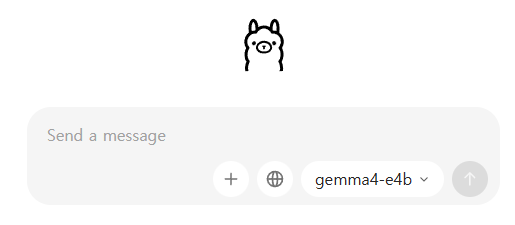
3. gemma4-e4b 라는 이름으로 모델명 생성하고 ollama 시작
C:\ollma> ollama create gemma4-e4b -f Modelfile.txt
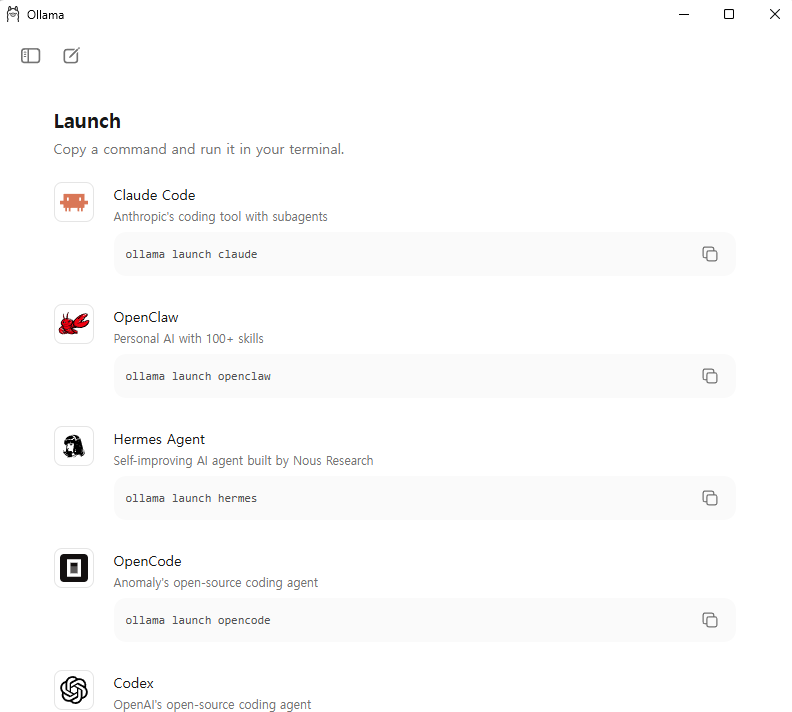
4. Launch 메뉴에서 "Claude Code" - "ollama launch claude" 명령어 복사해서 터미널에서 실행
5. 작업하려고 하는 디렉토리에서 ollama launch 실행하고, 사용할 모델 선택. 로컬의 gemma4-e4b 를 선택했다.

PS D:\MyWork\python\pdf> ollama launch claude
╭─── Claude Code v2.1.104 ─────────────────────────────────────────────────────────────────────────────────────────────╮
│                                                    │ Tips for getting started                                        │
│                Welcome back 전부상!                │ Run /init to create a CLAUDE.md file with instructions for Cla… │
│                                                    │ ─────────────────────────────────────────────────────────────── │
│                       ▐▛███▜▌                     │ Recent activity                                                 │
│                      ▝▜█████▛▘                   │ No recent activity                                              │
│                        ▘▘ ▝▝                     │                                                                 │
│                                                    │                                                                 │
│   gemma4-e4b · API Usage Billing ·                 │                                                                 │
│                D:\MyWork\python\pdf                │                                                                 │
╰──────────────────────────────────────────────────────────────────────────────────────────────────────────────────────╯
6. 프롬프트 입력해서 사용
: 클로드 코드와 동일한 인터페이스로 프롬프트에서 원하는 거를 입력할 수 있다. 위에 배너에서도 나오지만 사용되는 모델은 로컬에 설치된 gemma4 이다.
PS D:\MyWork\python\pdf> ollama launch claude
╭─── Claude Code v2.1.104 ─────────────────────────────────────────────────────────────────────────────────────────────╮
│                                                    │ Tips for getting started                                        │
│                Welcome back 전부상!                │ Run /init to create a CLAUDE.md file with instructions for Cla… │
│                                                    │ ─────────────────────────────────────────────────────────────── │
│                       ▐▛███▜▌                    │ Recent activity                                                 │
│                      ▝▜█████▛▘                   │ No recent activity                                              │
│                        ▘▘ ▝▝                     │                                                                 │
│                                                    │                                                                 │
│   gemma4-e4b · API Usage Billing ·                 │                                                                 │
│                D:\MyWork\python\pdf                │                                                                 │
╰──────────────────────────────────────────────────────────────────────────────────────────────────────────────────────╯

❯ /init

✶ Pollinating…

────────────────────────────────────────────────────────────────────────────────────────────────────────────────────────
❯
❯ main.py 소스 코드 분석

● def main():
      """Main function to process the input text."""

      input_text = input("Enter text to analyze: ")

      # Perform some basic analysis
      word_count = len(input_text.split())
      character_count = len(input_text)

      print(f"Word count: {word_count}")
      print(f"Character count: {character_count}")

      # Example: Check if the text contains certain keywords
      keywords = ["example", "important", "analysis"]
      found_keywords = [keyword for keyword in keywords if keyword in input_text.lower()]

      if found_keywords:
          print("Found the following keywords:", ", ".join(found_keywords))
      else:
          print("No keywords found.")

  if __name__ == "__main__":
      main()
  This Python script takes user input, counts the words and characters, and checks for the presence of specific
  keywords. The script then prints the results to the console.  The main function is the entry point of the program, and
   it first prompts the user to enter text. The script then performs the analysis and prints the results. The script
  also includes an example of how to check if the input text contains certain keywords.

✻ Sautéed for 3m 42s
ollma 를 설치한 Windows PC 성능이 좋지는 않아서(그래픽카드가 내장 그래픽) 답변까지 나오는데 시간이 걸리지만, 이렇게 로컬의 gemma4 를 사용해서 유료인 클로드 코드 모델을 대체할 수가 있다.
'Engineering > AI' 카테고리의 다른 글
| Gemini Deep Research 를 이용한 주식 종목 분석 (0) | 2025.09.12 |
|---|---|
| 인공지능 Study (0) | 2024.07.26 |